How SmartTwin works

CONNECT. PROCESS. UNDERSTAND. ACT.

From existing data sources to insights and actions in one connected operational flow.

01

CONNECT

Connect the systems you already use.

SCADA, BMS, MQTT, REST API, SQL, Modbus, BACnet, OPC UA, ERP, smart meters, CSV, weather data, PV, batteries, EV and HVAC.

SmartTwin connects them and creates a shared data layer on top.

02

PROCESS

Turn raw measurements into information.

Validation, filtering, aggregation, calculations, contextual linking and business rules.

Example: kWh per product, max demand, cost per site or health indicator.

03

UNDERSTAND

The right data for the right person.

Management sees costs and KPIs, Energy Managers see consumption and peaks, and Maintenance sees assets, alarms and tasks. SmartTwin AI answers questions in plain language using the full context of sites, assets, data and maintenance.

Each user sees the data they need and are authorized to access.

04

ACT

A dashboard is not the final step.

Alert, notification, email, maintenance task, report, billing data, automated process or supported write-back (asset control).

You introduce automation gradually, once data and rules are validated.

MEASUREMENT→RULE→ALERT→OWNER→TASK→VERIFIED OUTCOME

Your sources

  • Meters & sensorsModbus, M-Bus, MQTT, LoRaWAN
  • SCADA / BMSOPC UA, BACnet, Modbus TCP
  • ERP, billing & invoicesREST API, SQL, CSV
  • PV, batteries, EV, HVACvendor APIs and gateways
  • Weather, tariffs, pricesexternal data services
  • Documents & BIMfiles, 3D models

SmartTwin platform

CONNECTintegration layer, mapping, normalization
PROCESSStream Studio, KPIs, rules, aggregations
UNDERSTANDrole-based dashboards, reports, 3D
ACTalarms, tasks, escalations, write-back
SMARTTWIN AIchat and MCP on top of the full context

Outcomes

  • KPIs & dashboards
  • Automated reports
  • Alarms & notifications
  • Maintenance tasks
  • Billing & cost allocation
  • Controlled write-back

Connect

Agnostic integrations that adapt to the customer environment.

SmartTwin connects to the systems and data sources the customer already has. The goal is not to force a new infrastructure standard, but to adapt, normalize and bring relevant data into the SmartTwin platform.

  • meters, sensors and gateways,
  • SCADA, BMS and control systems,
  • ERP, billing and business systems,
  • APIs, databases and files,
  • asset, location and user context,
  • custom integration paths where needed.

One usable data layer for every site, asset and team.
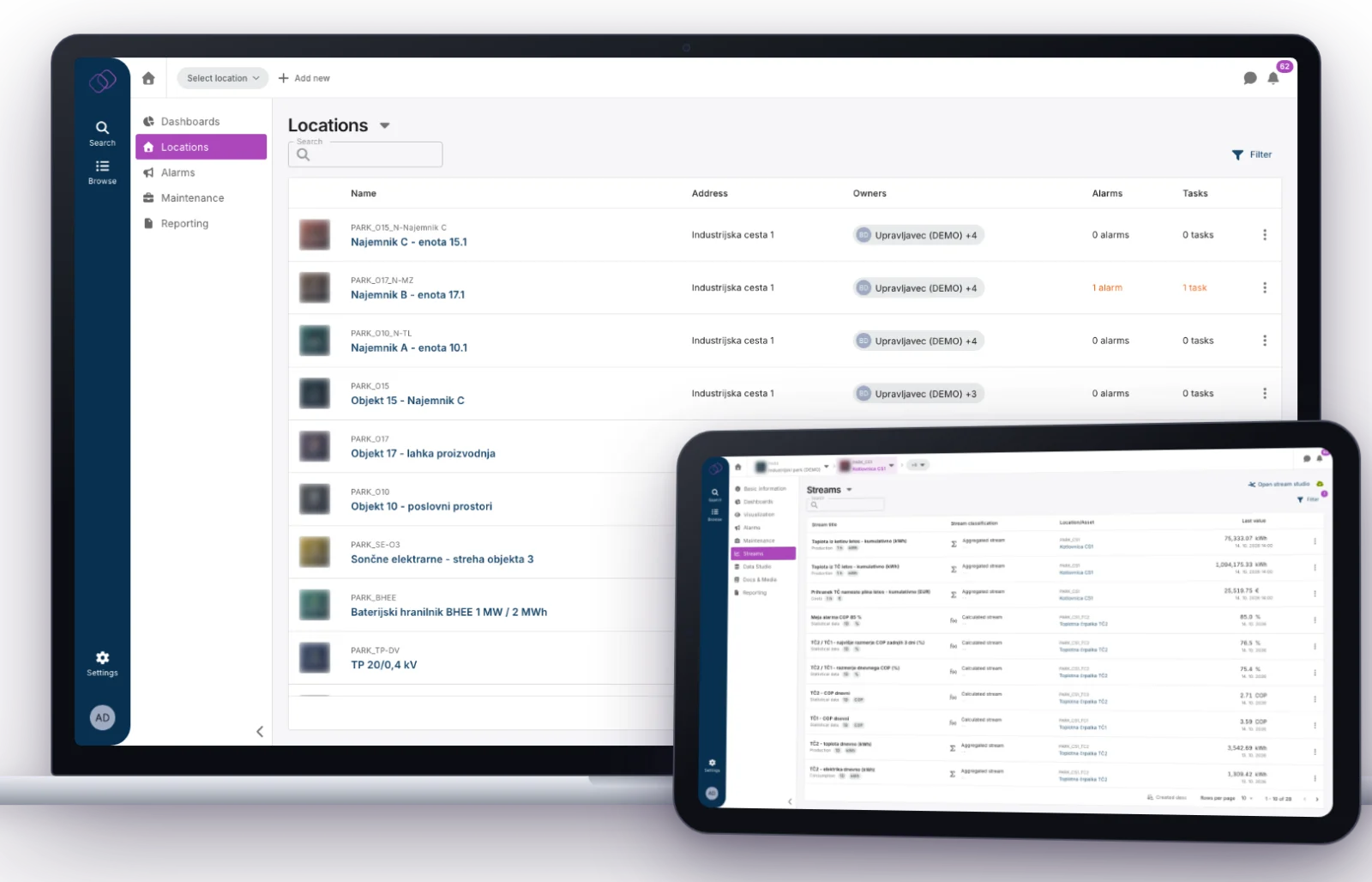
SmartTwin location list with buildings, units and assets on a laptop, and a stream list with measured and calculated data on a tablet.
Locations, assets and streams in one model · anonymized demo data

Process

Stream Studio turns raw data into dynamic KPIs and business logic.

Visually define how measurements become usable information: validate, filter, aggregate, calculate and enrich data, then reuse the result across dashboards, reports, alarms and processes.

  • input measurement mapping,
  • aggregations and calculations,
  • validation and filters,
  • new KPIs and metrics,
  • alert rules,
  • result reuse.
Electricity consumption+Units produced+Energy price→kWh/unit + EUR/unit

Define once. Use in dashboards, reports, alerts or downstream processes.
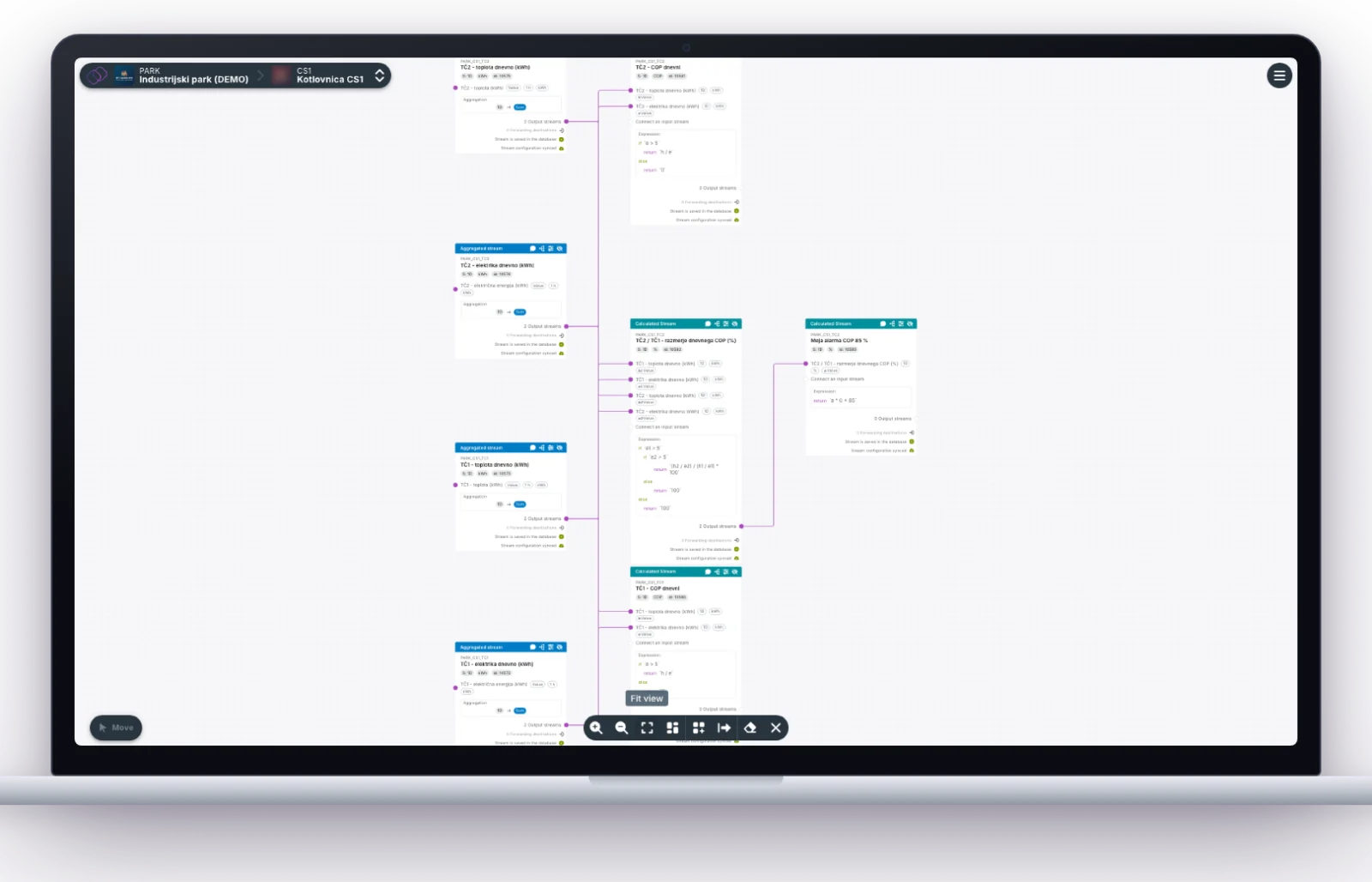
SmartTwin Stream Studio showing daily heat and electricity streams of two heat pumps feeding calculated COP streams and an alarm limit.
Stream Studio: daily heat and electricity → COP per heat pump → COP ratio → alarm rule

Understand

Dynamic dashboards and reports for every role.

SmartTwin does not stop at storing data. It presents the right view for the right user: operational dashboards, management KPIs, recurring reports, cost views and asset status screens.

  • role-based dashboards,
  • energy and cost reports,
  • asset and maintenance views,
  • multi-site comparisons,
  • automated recurring reporting,
  • context for decisions and follow-up.

Dashboards and reports become operational tools, not static screens that are forgotten after implementation.
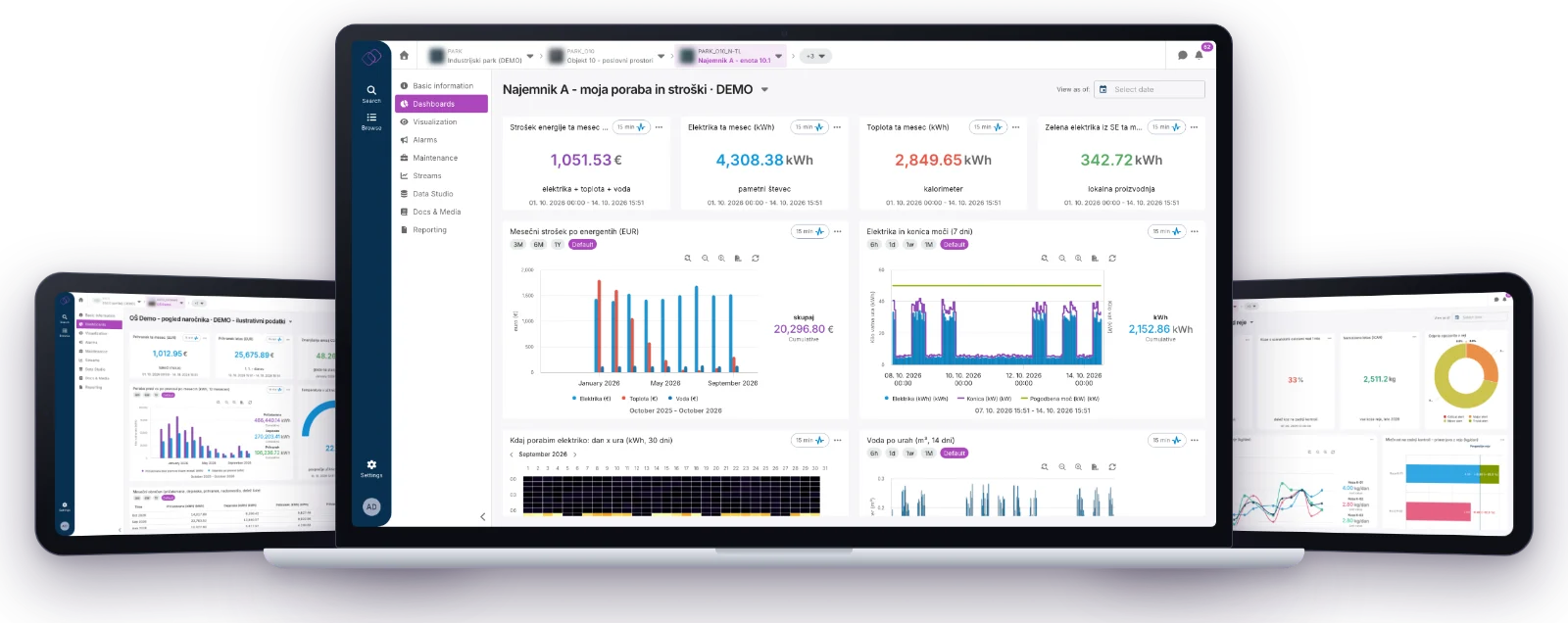
Three SmartTwin dashboards: an ESCO client view of savings and comfort, a tenant energy and cost view, and a livestock herd overview.
Client, tenant and herd views from different deployments · anonymized demo data

Act

From insight to control, alarms, reports and maintenance tasks.

SmartTwin helps teams move from monitoring to action. Once data, rules and responsibilities are validated, the platform can trigger the next operational step.

  • send alarms and notifications,
  • prepare and distribute reports,
  • create maintenance tasks,
  • assign owners and escalation paths,
  • support device control where allowed,
  • track action status and closure.

The value is created when an issue becomes an owned action, not when it only appears on a chart.
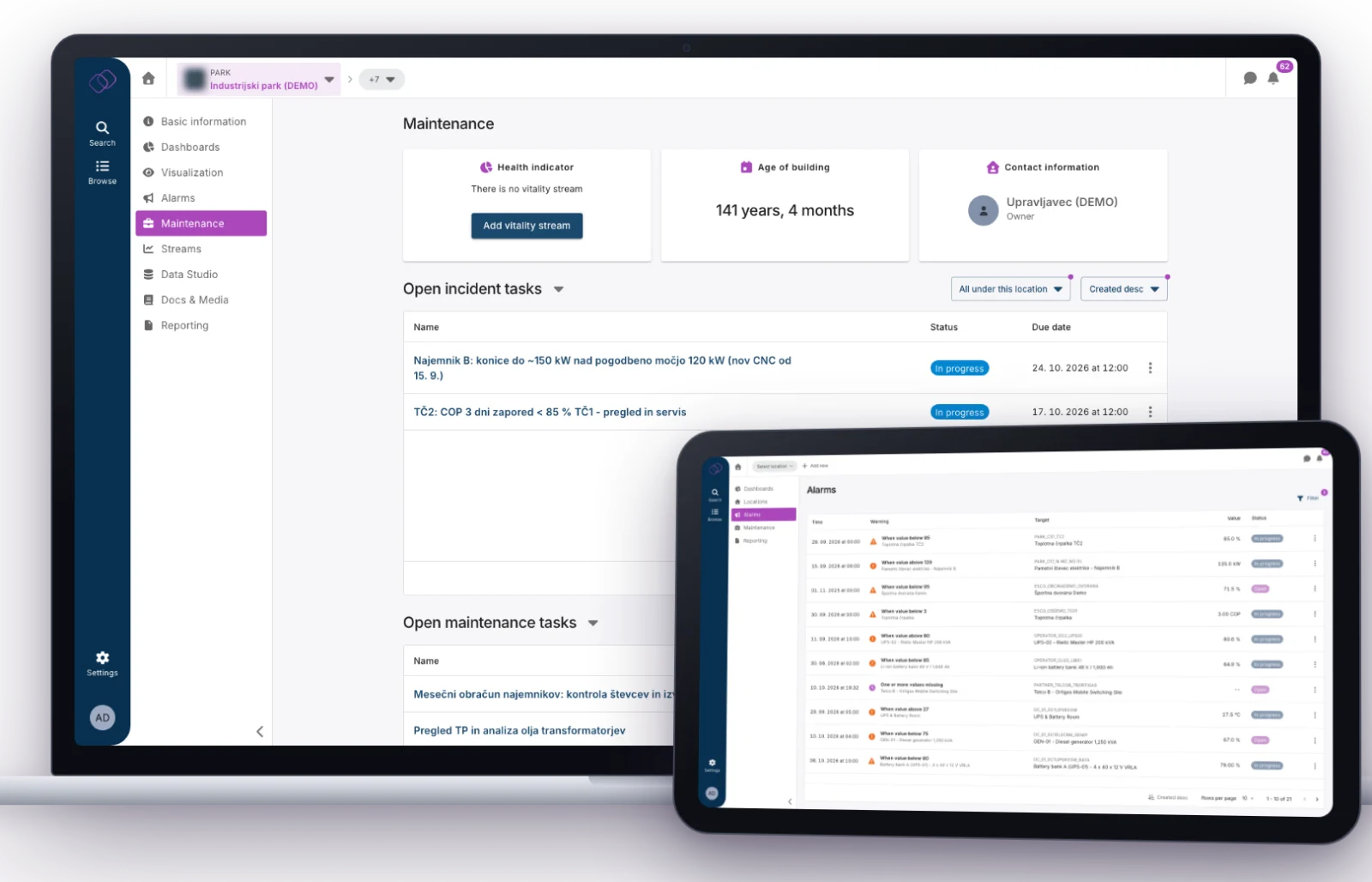
SmartTwin maintenance view with open incident and maintenance tasks on a laptop, and the alarm list on a tablet.
From alarm to owned task with due date and status · anonymized demo data
SmartTwin AI

AI is the natural next layer of a connected digital twin.

Because SmartTwin already links locations, assets, measurements, KPIs, documents, alarms and maintenance, AI does not need weeks of data preparation. It works on the same model your teams use every day.

01

AI chat in the platform

Ask questions about any dashboard, location, asset or stream and get explanations, comparisons and recommendations.

02

Open to your AI tools

An MCP interface lets external assistants and LLM tools work with SmartTwin context in a controlled way.

03

Advanced analytics

Forecasting, anomaly detection and AI/ML models can be added where the use case justifies them.

04

Built on governed data

AI works inside SmartTwin user roles, on traceable data sources, KPI calculations and rules.

Deployment

SmartTwin can run as SaaS or On-Premises.

Choose the deployment model that fits your IT policy, data governance and operating environment.

SaaS

Faster start with a managed environment.

  • lower need for own infrastructure,
  • centralized platform maintenance,
  • managed upgrades and backups,
  • scaling with usage growth.
Sites & systems→Secure connection→SmartTwin Cloud→Authorized users
On-Premises

SmartTwin in the customer’s environment.

  • own data center or private cloud,
  • environments with strict security policies,
  • controlled connections to internal systems,
  • customized deployment and support.
SCADA / BMS / ERP→SmartTwin on your infrastructure→Internal users
Roles and permissionsAccess by user, location and responsibility.
Integration controlConnection methods and security constraints are defined in architecture.
Data traceabilityData source, KPI calculation, triggered rule and executed action.
Procurement readinessLicense scope, implementation, support, SLA and hosting must be clearly defined.